Ce este CDBurnerXP?

CDBurnerXP este o aplicaţie gratuită pentru inscripţionarea CD-urilor şi DVD-urilor, inclusiv de tipul Blu-Ray şi HD-DVD. Programul include de asemenea facilitatea de a inscripţiona şi crea fişiere imagine ISO şi posedă o interfaţă în mai multe limbi. Oricine, chiar şi companiile, îl poate utiliza în mod gratuit. Nu include componente publicitare sau malefice. Puteţi viziona un tutorial video în română pentru a învăţa rapid cum să folosiţi softul.

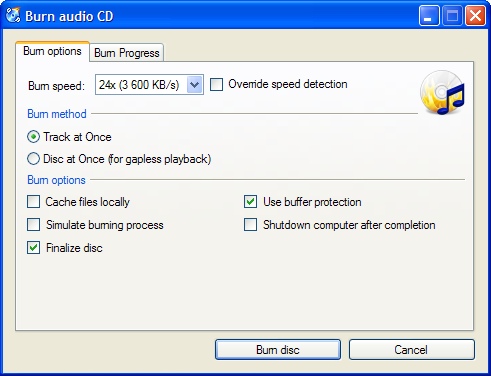
Captură de Ecran

Facilităţi Principale

  • inscripţionarea tuturor tipurilor de discuri
  • CD-uri audio cu sau fără pauze între piste
  • inscripţionare şi creare de fişiere ISO
  • verificarea datelor după inscripţionare
  • creare de discuri butabile
  • interfaţă multilingvă
  • convertire bin/nrg → ISO, tipărire simplă de coperţi şi multe altele!
  • Sisteme de Operare: Windows 2000/XP/2003 Server/Vista/2008/Win7 (x86 / x64)

Descărcaţi acum!

Informaţii Suplimentare: Lista Dispozitivelor Compatibile - Lista Detaliată a Facilităţilor - Ajutor Online

Ultimele Ştiri

Translator wanted (scrisă de Flo)

Thanks to the great work of many users of CDBurnerXP, we currently only have a single translation left which is out of date (even though we've quite a lot of translations). I'd be happy if we could find a new translator for this language, otherwise it'll be eventually excluded from CDBurnerXP:

- Danish da-DK (last updated May 2008)

Your name will of course appear in the credits, if you like :)

New public beta version: 4.2.6 (scrisă de Flo)

Hi everyone,

you might wonder, why we have a new beta 4.2.6 if we already had 4.3? Well, in nutshell CDBurnerXP won't work properly if we bump the version up to 4.3.x on Windows 7. So for a while, we need to stick with 4.2.x.

Anyway, you may now try the new beta: http://download.cdburnerxp.se/cdbxp_set ... 6.1669.exe

It should be quite stable (so far I only know a minor GUI problem), and contains a bunch of new features.

- CD-Text
- Pause length for audio discs (was already present in the previous beta)
- Optional message boxes
- Support for the APE audio format
- Rewritten command line version. Should basically have the same functionality, but this time, it should actually work (thanks to the new StarBurn component)
- StarBurn is now used for audio discs, burning ISOs and erasing discs, so these areas of CDBurnerXP should work somewhat more reliably. Without 100% CPU usage and the like.

Have fun...and please give some feedback here :)

Edit: Updated to 4.2.6.1669 with a couple of bug fixes.

Introducing: MyFeeds.org - a news recommendation service (scrisă de Flo)

Today I'd like to introduce a new service: MyFeeds.org. It's a news recommendation service, or in simple terms, a spam filter for news instead of e-mails.


If you'd like news reading to be less work, go and give it a try :)
It's still a rather new service (apparently), so suggestions for improvements are welcome.

New public beta version: 4.3 (scrisă de Flo)

Hi all,

this time, I'm going to release a public beta version, which hasn't happened for quite a long while now.
However, I am not calling this version "beta" as excuse for the bugs it still contains, but because

a) it is more or less untested (tests done by developers don't count)
b) it is not finished yet (couple of features missing)
c) there still is an unlicensed and beta version of the StarBurn buring library included. This means that you'll get an annoying message box each time you use the audio burning features.

The two major changes are the use of the StarBurn burning library for audio discs (which should work somewhat better than the NMS library, and will also allow CD-Text) and the removal of MDI structures.

If still dare testing this version, download it from http://download.cdburnerxp.se/cdbxp_set ... 1.1500.exe

Any feedback is appreciated and needed, please use this thread for comments.